Loading...
About this Episode
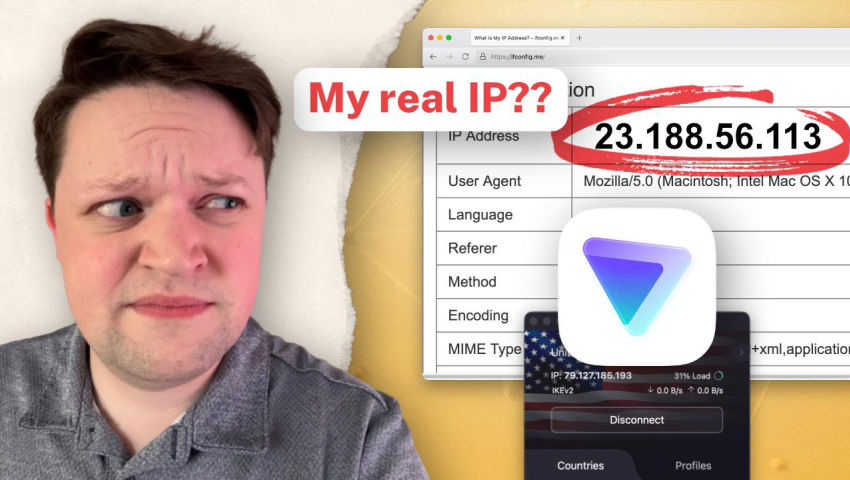
ProtonVPN's kill switch is leaking your IP address on macOS. Despite Proton's false claim that the regular kill switch protects you when switching servers, it's trivial to see this isn't the case. Please 👍 like and 🔔 subscribe to our channel ...
Hosts & Guests
Transcript
I wanted to make this video to demonstrate an issue with ProtonVPN's KillSwitch on MacOS,
namely that it does not protect your IP address when you switch servers even though their documentation
that is that it should. So to show you this, it's a pretty simple test that I'm guessing
pretty much anyone can replicate, but I'll go ahead and enable the KillSwitch in their client here
and connect to just a random server. And we'll give the second.
And then we can see now that I'm connected, I can refresh this page and instead of showing
my real IP address, it will show the IP address of the Proton server as you would expect.
Then we can go ahead and connect to a different server. And if I go ahead and refresh a few times here,
we can see it shows my real IP address again in the moment between the old server and the new server.
And then I can refresh again and it shows the new IP as expected. But I think this is a big problem
because this is not how Proton documents their KillSwitch working and it's also not really how
people expect a KillSwitch to work. And Proton is known about this issue for a while now.
I've seen it posted quite a bit on the internet. I can go back to this post three years ago,
for example, where someone reported this exact issue and Proton basically said the KillSwitch
should indeed be activated when you switch from one server to another. This issue was reported
again on their subreddit a year ago. Apparently there was some drama about Proton deleting the
original post but whatever. But the problem with this post is that this poster really focused on
a lot of different issues. Two of these issues are just manually disconnecting from the server,
which Proton in their documentation they do say they don't cover. But then the third issue again
is when you switch VPN locations with the KillSwitch enabled the VPN leaks your data by disconnecting
without stopping an internet connection. And unfortunately Proton, I think because of all of this
going on, they laser focus in on the first two points and did not really address this third case
switching between servers. And the original poster here replied clarifying this that switching
networks was the main problem and Proton never responded to this. But we've also seen
for at least the past few months here that this has been discussed on the privacy guides form.
This was in December of 2025 and this links to the same issue. And as you can see, there's 305
posts in this thread. So it got a lot of traction and discussion where we did confirm that this
was an issue. I will say Proton's account has been active on this form, not in this thread,
but in other threads. So I know that they could at least be aware of this. I think probably three
years since the original report that I found, which could be longer, is enough time for them to
react to this. And especially because their documentation is very not clear. So if we look at
their kill switch documentation, for example, they do say the regular kill switch feature,
not the advanced kill switch feature will protect you when you're switching between servers. They
explicitly say this. And if you remember from that other reddit thread, the other features would
require the advanced kill switch, which is true. But the regular kill switch does protect you
when you're switching servers. And then they do have a note below that which says there are some
issues with how the kill switch works on macOS, but they don't talk about this issue at all. In fact,
they say, you know, they talk about this vulnerability that they found where the operating system will
make connections to Apple services, no matter what VPN you're using, which is more of an Apple
problem, certainly than a Proton VPN problem. But Proton specifically says this is mainly just certain
DNS queries to Apple services and that again, the kill switch will block all Apple connections,
which as you can see at the beginning of this video, if I can make a full connection to
a website and a web browser that reveals my real IP address, this isn't true. I can make a
connection to any server and my IP address will be revealed. I obviously understand why this
why this is happening. This is likely a Apple platform limitation with network extensions because
you can see again in the video. At the moment, my IP address was revealed to this server.
It showed in system settings that the VPN was fully disconnected. I think from Apple's perspective,
it was disconnected. And I think that switching servers in the Proton VPN client
is basically the same from the operating systems perspective as manually disconnecting
and reconnecting. But other VPN clients do protect against this on Mac OS. There are ways to
mitigate this. That might not be available on iOS, but are certainly available to Proton.
In this case, if they wanted to implement them. And I think the bigger issue is that, again,
Proton specifically says in no uncertain terms that this is not the case and that you will be
protected on all of these operating systems that have a kill switch when you're switching servers.
So I think this is very misleading. It certainly has caught a lot of people in our community
by surprise when they found out about this, which I think indicates that this is a real
problem and would certainly catch less technical users, especially the users that Proton
is seems to be catering to these days. I know our community skews more technical and even most
people seemed to not be aware that this was the case or happening here when it is. So
yeah, I think that Proton should fix this. There are tools available on Mac OS. They might not be
available to network extensions, like how their VPN runs. I know that IVPN and Mulvad, they have to
basically create manual firewall rules to prevent something like this from happening. But that is
an option on Mac OS because it is a more open operating system than iOS or Proton needs to update
their documentation to make this more clear because they are clearly stating something that is
simply not true. Anyways, that's all I have to say. Hopefully, Proton gets it figured out.
More from Privacy Guides
View all episodes →
The State Of The Internet w/An OG Digital Pioneer | Jon Lebkowsky | EFF-Austin I...
Privacy Guides
Mar 24, 2026·4:07·pending

Professor Reveals Public Opinion Of Surveillance | Dr. Sharon Strover | EFF-Aust...
Privacy Guides
Mar 23, 2026·33:36·pending

Where SXSW Interactive Went Wrong | Hugh Forrest | EFF-Austin Interactive '26
Privacy Guides