About this episode
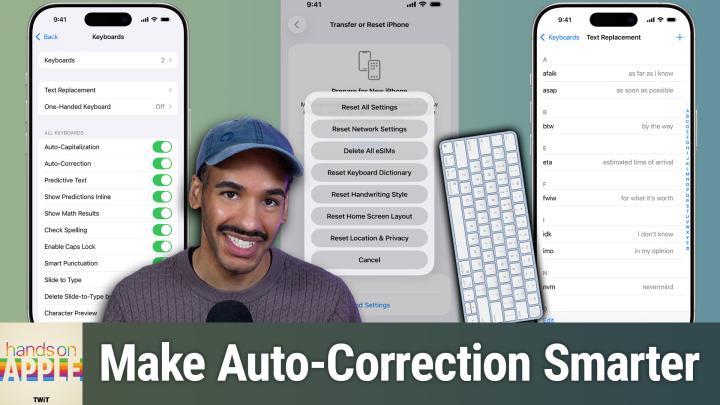
Tired of autocorrect sabotaging your texts? This episode shows how small changes like persistent rejection and custom text replacements can actually make Apple's keyboard work for you.
- Why auto-correct fails and how Apple devices handle corrections
- Auto-correct's evolution with iOS 17 and transformer language models
- How auto-correct learns and why personalized dictionaries matter
- Key steps to retrain auto-correct for smarter suggestions
- Resetting your keyboard dictionary: the nuclear option explained
- iOS and macOS keyboard settings: making auto-correct work for you
- Auto-correct's pain points: bilingual typing, jargon, and missing features
- Text replacement: the ultimate hack for tricky words and shortcuts
- Top text replacement use cases for emails, addresses, and custom phrases
- Practical tips to tame auto-correct and improve your typing flow
- Missing features Apple still hasn't addressed in auto-correct
Host: Mikah Sargent
Download or subscribe to Hands-On Apple at https://twit.tv/shows/hands-on-apple
Want access to the ad-free audio and video and exclusive features? Become a member of Club TWiT today! https://twit.tv/clubtwit
Club TWiT members can discuss this episode and leave feedback in the Club TWiT Discord.
Get every episode summarized
Each time All TWiT.tv Shows (Audio) publishes, we email you a written briefing from the transcript — the topics, who appeared, and any specific claims, with the ad reads skipped.
Email me new episodesFree for 3 shows. No card needed.
Hosts & guests

No transcript yet
This episode has not been transcribed. Request it and it moves to the front of the queue.
More episodes
More from All TWiT.tv Shows (Audio)

Security Now 1095: AI-Driven Expertise Loss
All TWiT.tv Shows (Audio)

MacBreak Weekly 1041: SHAME
All TWiT.tv Shows (Audio)

This Week in Tech 1100: Yoloville
All TWiT.tv Shows (Audio)

Untitled Linux Show 269: Kerfluffel
All TWiT.tv Shows (Audio)