I Hid a Watermark in Screenshots, and iOS Thought It Was a Password
About this episode
This story was originally published on HackerNoon at: https://hackernoon.com/i-hid-a-watermark-in-screenshots-and-ios-thought-it-was-a-password.
Exploiting iOS's secure text entry to build a watermark that only appears in screenshots, and the password-autofill bug it caused.
Check more stories related to programming at: https://hackernoon.com/c/programming.
You can also check exclusive content about #ios-development, #ios-screenshot-watermark, #viral-growth-mechanics, #product-led-growth-tactics, #uikit-rendering-behavior, #mobile-app-attribution, #ios-development-hacks, #hackernoon-top-story, and more.
This story was written by: @grievouz. Learn more about this writer by checking @grievouz's about page,
and for more stories, please visit hackernoon.com.
Screenshots were the app's biggest sign-up channel, so I built a watermark that's invisible in the app but appears when users take a screenshot, using iOS's secure text entry flag, which strips content from screenshots to protect passwords. It worked. It also made iOS think every chat message was a password field, breaking autocorrect and triggering "Save to Keychain" prompts. Fix: drop the UITextField entirely and set the underlying disableUpdateMask flag directly on a CALayer via reflection (with the private-API name base64-encoded to survive App Store review). Same screenshot-hiding behavior, no password heuristic firing. Lesson: iOS has way more hidden heuristics reading your view hierarchy than you'd expect, and private APIs are a recurring tax, not a one-time cost.
Get every episode summarized
Each time Programming Tech Brief By HackerNoon publishes, we email you a written briefing from the transcript — the topics, who appeared, and any specific claims, with the ad reads skipped.
Email me new episodesFree for 3 shows. No card needed.
Hosts & guests
Transcript ready
94 searchable segments. Every word is indexed and playable.
Full transcript
Programming Tech Brief By HackerNoon — I Hid a Watermark in Screenshots, and iOS Thought It Was a Password. Machine-transcribed; use the interactive transcript above to jump the player to any line.
This audio is presented by Hacker Nune, where anyone can learn anything about any technology. I hit a watermark in screenshots, and iOS thought it was a password, by Tamo Runky. In 1996, Hotmail added, PS, I love you. Get your free email at Hotmail, to every outbound email, 18 months later, 12 million users, 400 million dollars exit to Microsoft. Apple pulled the same trick a decade later with sent from my iPhone. Every user was running an ad campaign without knowing it. Neither company paid for a single impression. Last month, I tried the same thing on an app I work on. It worked. It also made iOS think the users were typing passwords. Why bother? The app is an ever-evolving interactive story, an ongoing narrative that responds to the reader, with characters who remember and react as it unfolds. The messages between the reader and the characters appear in a chat-like view, and people screenshot funny or weird moments and post them to discord servers, TikTok, and group chats. Attribution says screenshots are the
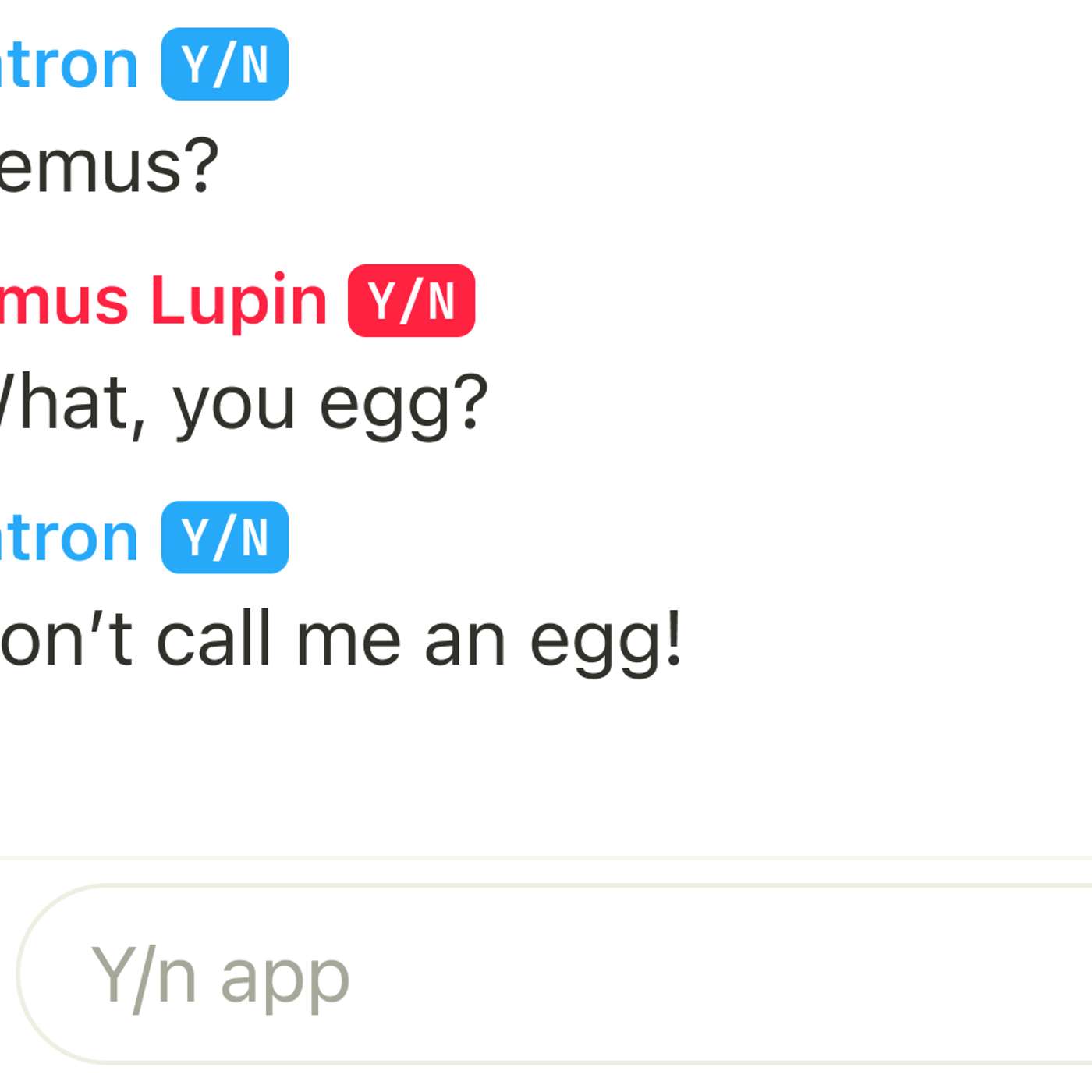
single biggest source of signups. Bigger than any ad channel, bigger than any influencer campaign. Once that shows up in a dashboard, one question gets loud, what is on those screenshots? Because whatever's on them is the ad, and until recently, the screenshots went out with no branding at all. The obvious move is a logo in the corner. TikTok, does it? The problem with a logo is that it reads as corporate. It makes the screenshot feel like an ad, and people with any taste-crop it out are switched to a competitor that doesn't stamp its content on theirs. I wanted a mark that belonged to the aesthetic, not something glued on top of it. The why, and idea. If you've spent time near fanfic, you know why, and it stands for your name, the reader insert placeholder writers drop into stories so readers can imagine themselves in the scene. It's also conveniently the name of the app, so the watermark wrote itself, a tiny colored badge next to every character's name in the chat, reading why, and in the right corners of the internet, it reads Asa Native in joke. In the wrong ones, it reads as a mystery someone has to ask about. That was the mechanic.
Screenshot goes out, a friend sees the badge, the yask, wait, what app is this? But I didn't want why, and visible while people were using the app. That would just be another logo in the corner. I wanted it to show up only when someone takes a screenshot. The reveal on screenshot trick, there's a quirk of iOS that most developers only bump into when dealing with passwords. A with doesn't just mask text with dots, the entire rendering canvas for that field is stripped from screenshots and screen recordings. It's how iOS keeps your password off other people's screens during airplay and screen sharing. I used it for something Apple didn't intend. The component creates an invisible, non-interactive, flips it to secure, and reaches into its private subview hierarchy to find a class called. That's the internal UI kit view that owns the screenshot hidden rendering. Inside that canvas, I inject a colored cover. Underneath the whole stack, rendered normally, sits the y and badge. In the app, the user sees the colored cover sitting next to the character. The badge is occluded. Everything looks clean.
The moment someone takes a screenshot, iOS blanks out anything inside the secure canvas. The cover vanishes. The y and underneath becomes visible. The screenshot is the ad. I ship this on a Thursday. I spent the next hour taking screenshots of my own chats just to watch the y and appear. On Monday, the support ticket started. iOS thinks you're typing a password. Users wrote in about the chat input acting strangely. Auto-correct would sometimes stop. The keyboard would occasionally offer a strong password, suggestion bar. On iOS 17 plus, it would offer to save what they'd type to keychain as a password. The chat input is obviously not a password field. It had, basically every incantation react native and iOS exposes for please leave this input alone. None of it stopped the behavior. My first theory was react native. The chat input is inside a scroll view. Andron's iOS text handling has a long history of leaking state between fields. It spent a day pulling the input out of the chat screen, mounting it in
isolation, and logging every prop iOS might read. It behaved perfectly in isolation. Back on the chat screen, the strong password bar reappeared. My second theory was a third-party keyboard extension that one of the users had installed. It wasn't. What finally gave it away was a bug report with a screen recording. The user had scrolled up, the chat was empty above the fold, and the keyboard was behaving normally. Scroll down into the populated chat, and the strong password bar appeared. The input was the same input. The only thing that changed was what was on screen around it. The input misbehaved only after the chat was populated, and only with character messages, the ones that rendered a watermark. Empty chats and user only messages were fine. Every watermark view drops an invisible within the view tree. A busy chat screen has 20 or 30 of these. iOS's keyboard heuristics look at the surrounding view hierarchy when they decide how to treat the focused input. The keyboard sees a screen littered with secured text fields and reasonably
concludes that the user is in a password flow. I had turned every watermark into a little lie that iOS believed. The feature I was exploiting to hide the watermark was polluting the signal iOS uses to classify live text inputs. The fix, the password heuristic is triggered by objects in the view hierarchy. If I could get the same screenshot hiding behavior without putting any S in the tree, the heuristic would stop firing. The screenshot hiding that triggers is actually a flag on the underlying. It shouldn't document it but the property exists, set the right bits, and the layer disappears from screenshots and screen recordings. Is one of the pad's use exposes that internally flips this flag, setting it directly on a layer you control does the same thing, with less machinery. The new implementation swapped the incandescalunking for a single with said via reflection. Same screenshot hiding behavior, no in the tree, no keyboard heuristic firing on the chat input. Shipping this meant accepting some ugliness is a private, undocumented API. Apple prohibits private
API calls under App Store review guidelines. Any iOS release can remove the property without warning and App Store review scan submitted binaries for known private API names. That last one is why the property has to be accessed via runtime reflection on a base 64 encoded string. It keeps the plaintext name out of the shipped binary. None of this was new territory. Wasn't a public class either. I was trading one private API hack for a cleaner one. What change? The watermark is still running. Support tickets about broken auto correct stop once the fix went out. The next app store reviewed took the build without complaint. Screenshots going out from the app now carry a small y and stamp next to character names, visible only in screenshots. I can't cleanly attribute the sign up lift to the watermark because screenshots were already the top channel and the watermark is subtle by design. What I care about more is that it exists. The next friend of a user who sees a screenshot in a discord server and wonders what app it's from now has a concrete thing to ask about.
Two things worth knowing up front. If you're building in this territory, two things I wish I'd known on day one. First, iOS has more heuristics than you can easily enumerate. Password detection is one, keyboard behavior, autofill, haptic classification, and many UI kit features look at the surrounding view hierarchy rather than just the focused view. If you're borrowing OS features for uses the OS never imagined, expect unrelated things to break in places you didn't touch. Second, the private API line is not a line you cross only once. Every iOS update has a tiny role of the dice on whether the thing you built still works, and whether Apple has noticed. I have a note pinned in notion titled, read these release notes first when iOS N plus one drops with a list of framework names. That note will pay for itself at some point, probably at 2 a.m. on a Tuesday in September. If you've shipped something similar, Android equivalents especially welcome, NYDMs are open. Thank you for listening to this Hackernoons story,
read by artificial intelligence. Visit hackernoons.com to read, write, learn and publish.
More episodes
More from Programming Tech Brief By HackerNoon

Build a Tiny Grep Clone While Rust Teaches You Who Owns What
Programming Tech Brief By HackerNoon

Deterministic Routing: The Hidden Key to Low Latency
Programming Tech Brief By HackerNoon

The Classic Computer Vision Trick Behind Smooth Image Blending
Programming Tech Brief By HackerNoon

7 Essential IP Geolocation API Features Every Developer Needs
Programming Tech Brief By HackerNoon